restylai blog
AI Exterior Design: Redesign Your House From a Photo
Updated July 19, 2026 · by the restylai team
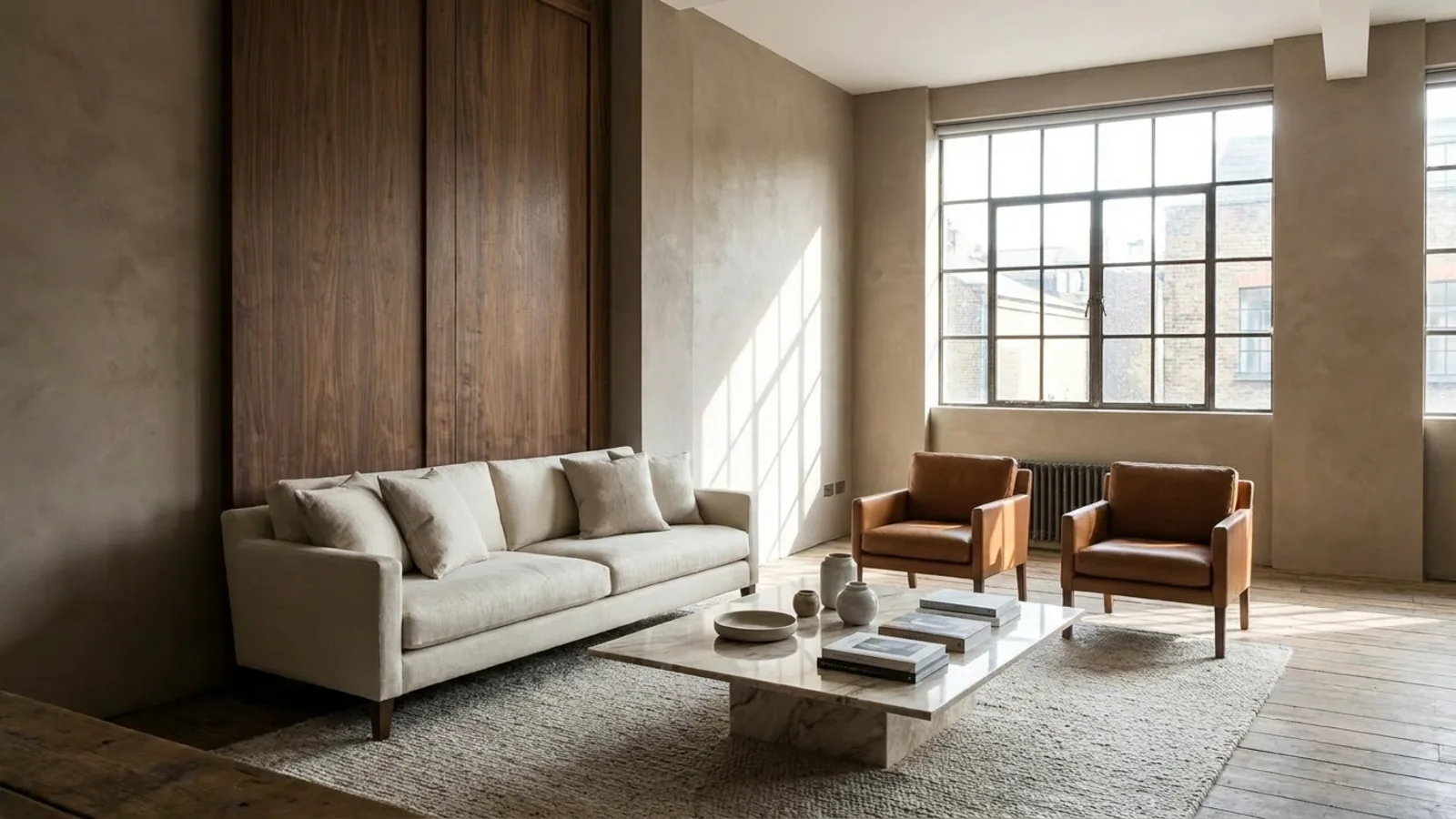
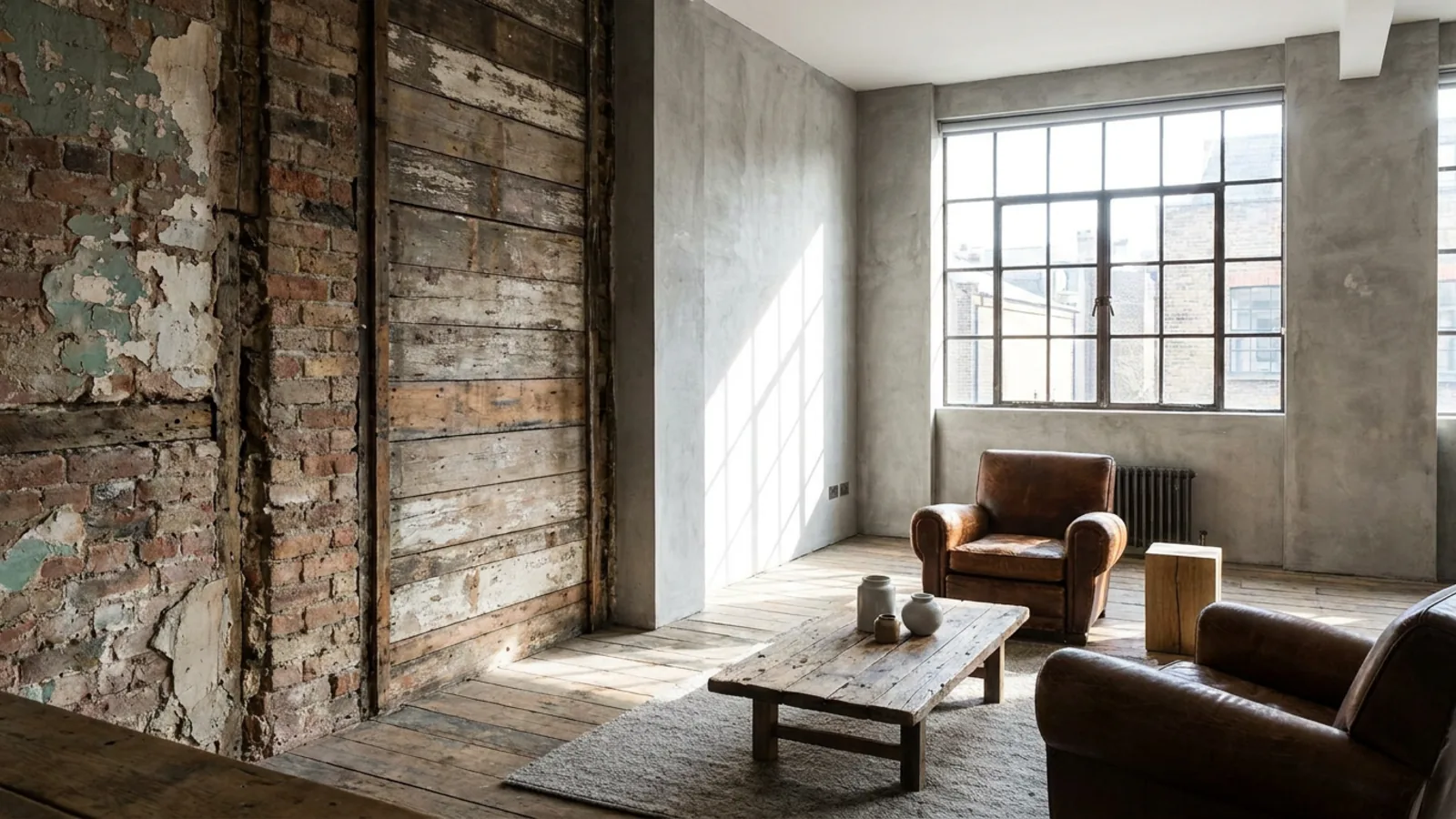 Before
Restyled
Before
Restyled
Exterior changes are the expensive, hard-to-undo kind. Repainting a whole house, re-siding a facade, relandscaping a front yard, each is a real commitment of money and weekends, and the one thing you cannot do is see the finished result before you pay for it. A paint chip against the wall or a siding sample in your hand tells you almost nothing about how the whole house will read from the street.
AI exterior design closes that gap. You upload one photo of your house and preview it repainted, re-sided, restyled, or relandscaped, all on your actual home, before a contractor quotes a cent. Because it works from your photo and keeps the structure fixed, you are looking at your real house with an honest change, not a stock render that happens to look nice.
This guide covers what the tool actually does, the exterior styles you can preview, how to swap materials and paint colors, how to stage curb appeal and backyards, how to shoot a photo that renders well, and how to refine the result. It is the outdoor half of our interior design software.
What AI exterior design actually does
The core idea is a preview, not a rebuild. You give the AI a photo and an instruction, and it changes the facade while holding the bones of the house in place. In practice that means you can:
- Restyle the whole facade into a different architectural look while the structure, windows, and rooflines stay exactly where they are.
- Swap surface materials by naming them, brick to stucco, siding to board-and-batten, a new stone base.
- Renew tired paint and fixtures, refreshing the siding, trim, shutters, and front door.
- Stage curb appeal, tidying planting beds, the lawn, the walkway, and the lighting.
- Relight the shot to softer, warmer light so you can see the house at its best.
The point that separates this from a generic house generator is that it stays your house. Many tools invent a different building; this one preserves the real structure from your photo, so the preview is a decision you can actually act on. It is the same approach as our AI room design tool, pointed at the outside of the house instead of a room.
Exterior styles you can preview
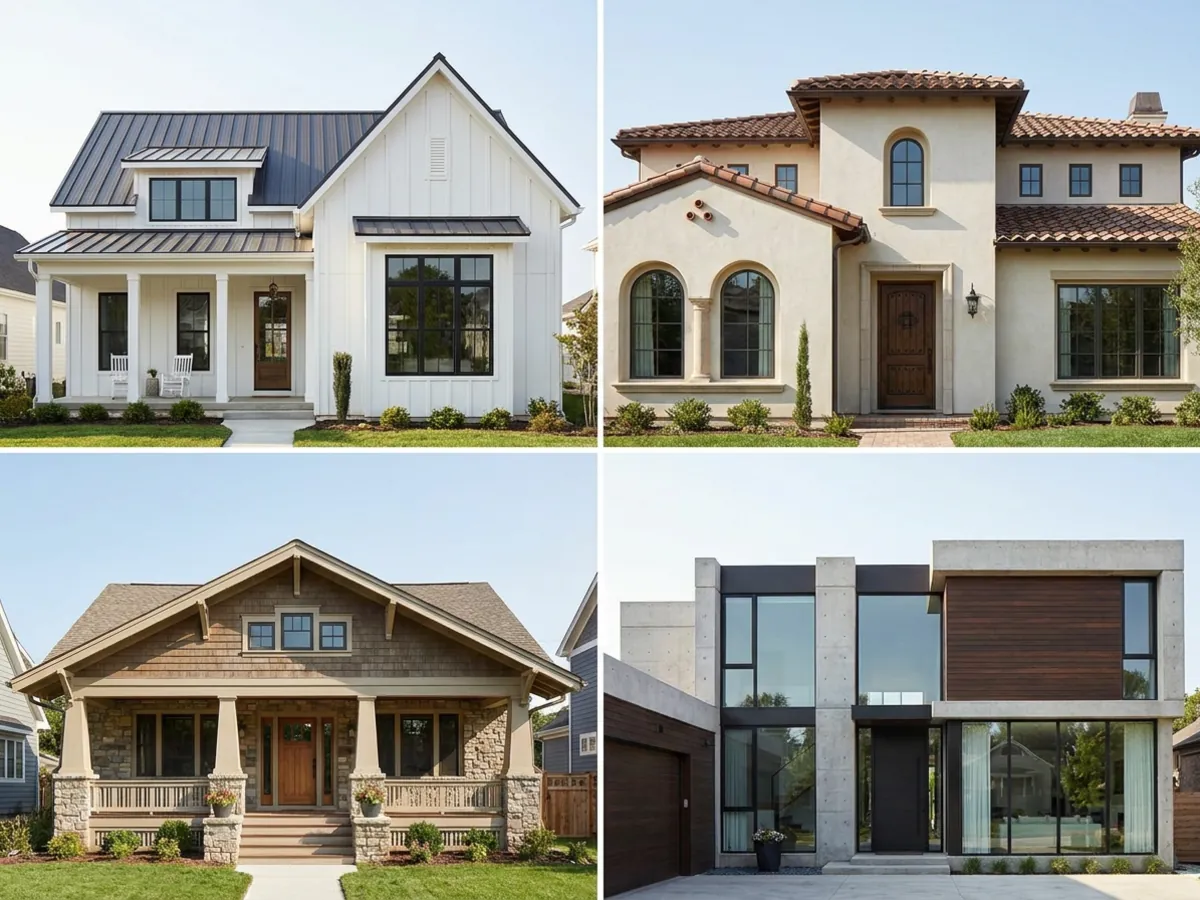
Most people arrive with a look in mind but no easy way to see it on their own house. You can preview the recognizable exterior styles by name:
- Modern and contemporary: flat or low rooflines, large glazing, clean rendered or dark-clad walls, restrained palettes.
- Modern farmhouse: board-and-batten siding, a steep gable roof, black windows, and a white-and-charcoal palette.
- Craftsman: low-pitched roofs with deep eaves, tapered porch columns, exposed rafters, and warm natural materials.
- Mediterranean: stucco walls, low-pitched terracotta tile roofs, arches, and warm earth tones.
- Tudor: steep gables, decorative half-timbering, and brick or stone with tall narrow windows.
- Colonial: symmetrical facades, a centered door, shutters, and evenly spaced windows.
- Mid-century: long low lines, flat planes, and an easy indoor-outdoor relationship.
- Scandinavian and minimal: simple forms, muted palettes, and quiet, uncluttered detailing.
You do not need the vocabulary above to use it, you can just name the style you want, or describe the feeling, and refine from there. Seeing three or four styles on your own facade is usually what settles the direction, because a look that sounds right in words can land very differently on your particular house.
Swapping siding, brick, stucco, and stone
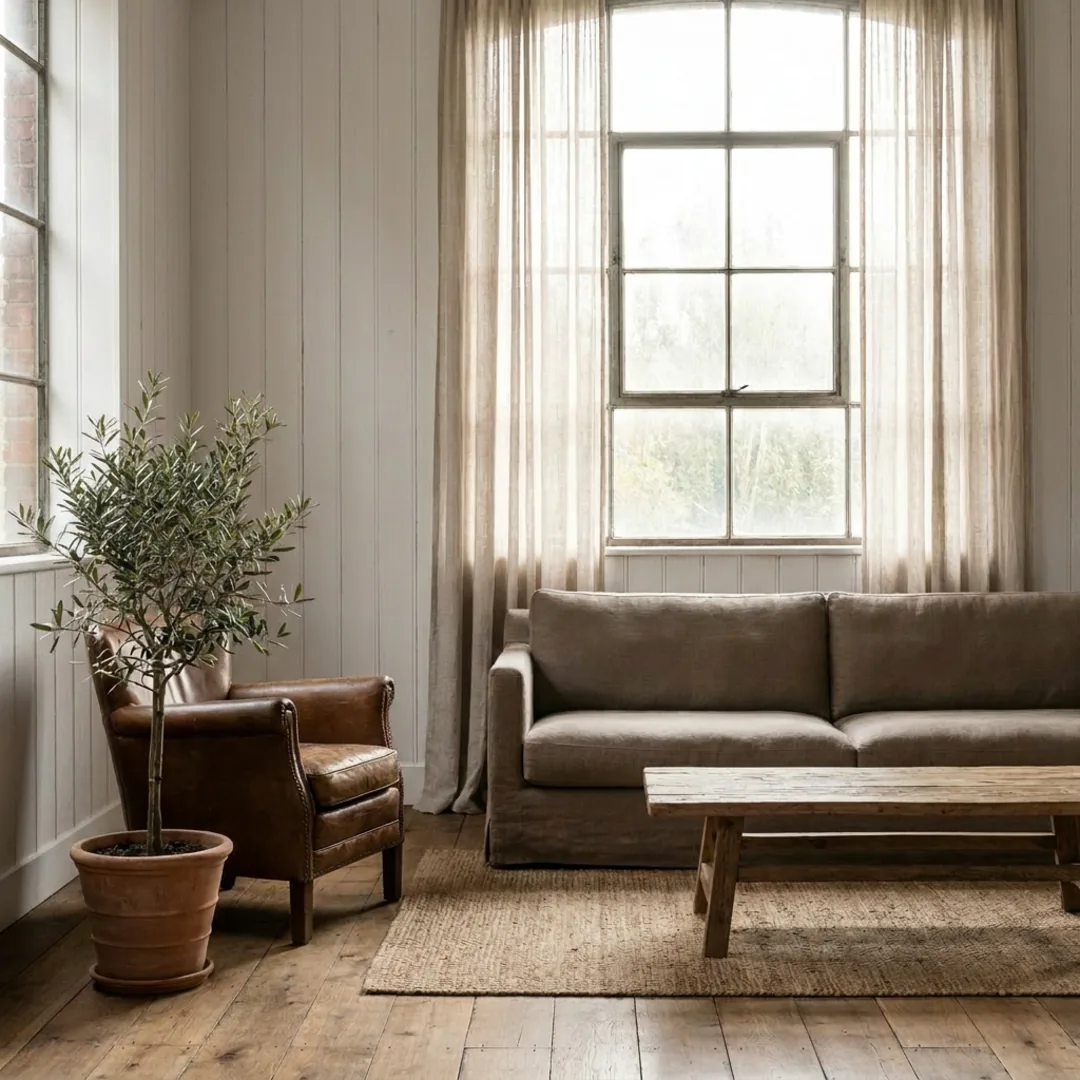
 Before
Re-skinned
Before
Re-skinned
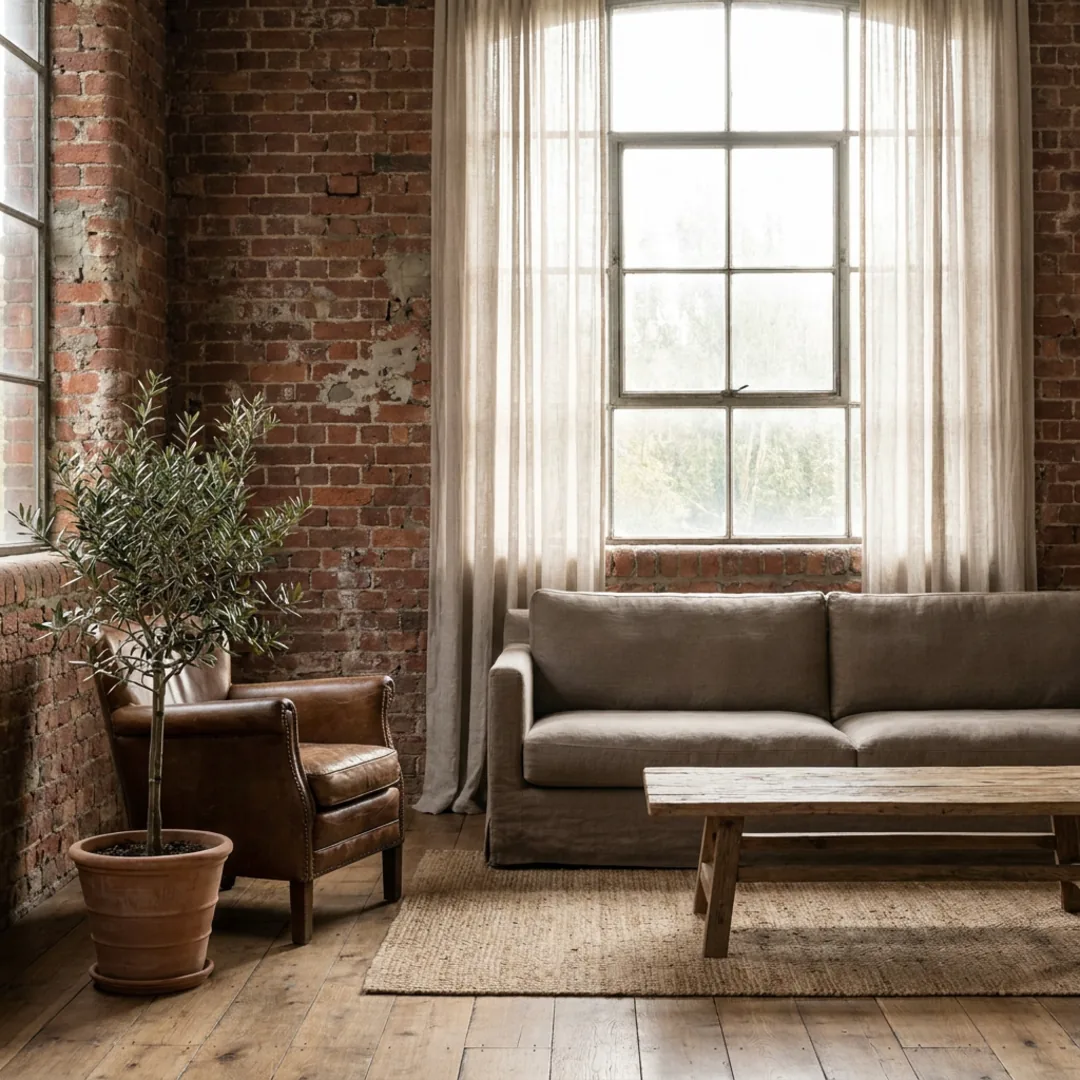
Materials set the whole character of a facade, and they are among the costliest exterior decisions to reverse. A material swap lets you test them first. Name the surface and the material you want, for example "board-and-batten in warm white," "grey brick to smooth stucco," or "add a natural stone base under the porch," and the AI re-skins the walls while keeping the windows, doors, and roofline in place.
That fixed-geometry behavior is what makes the comparison fair: when only the wall material changes and nothing else moves, you are judging the material and only the material. Some finishes read very differently at full scale than they do on a sample board, a busy brick can overwhelm a small facade, a smooth render can make a fussy house look calm, and seeing it across the whole house answers that before you order a pallet of anything.
Previewing exterior paint colors before you commit
 Before
Repainted
Before
Repainted
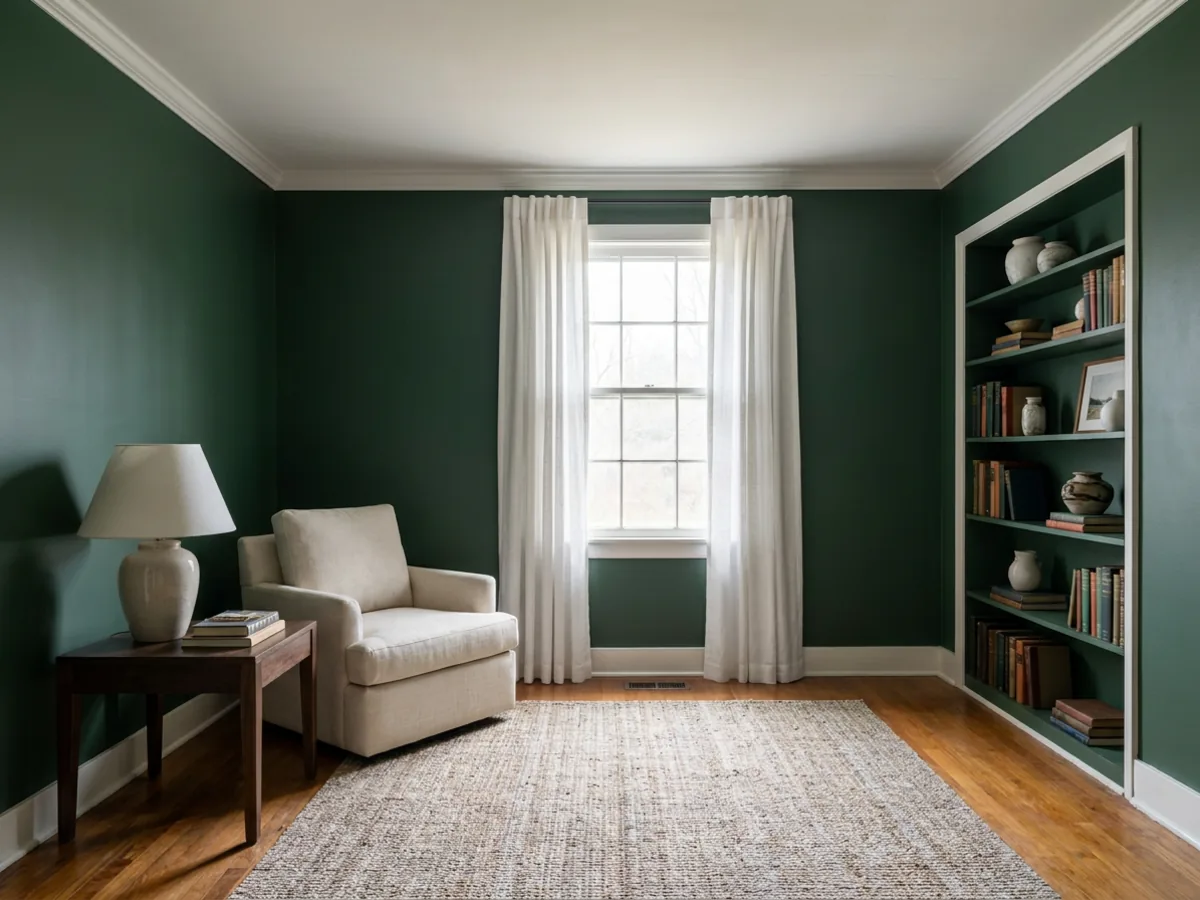
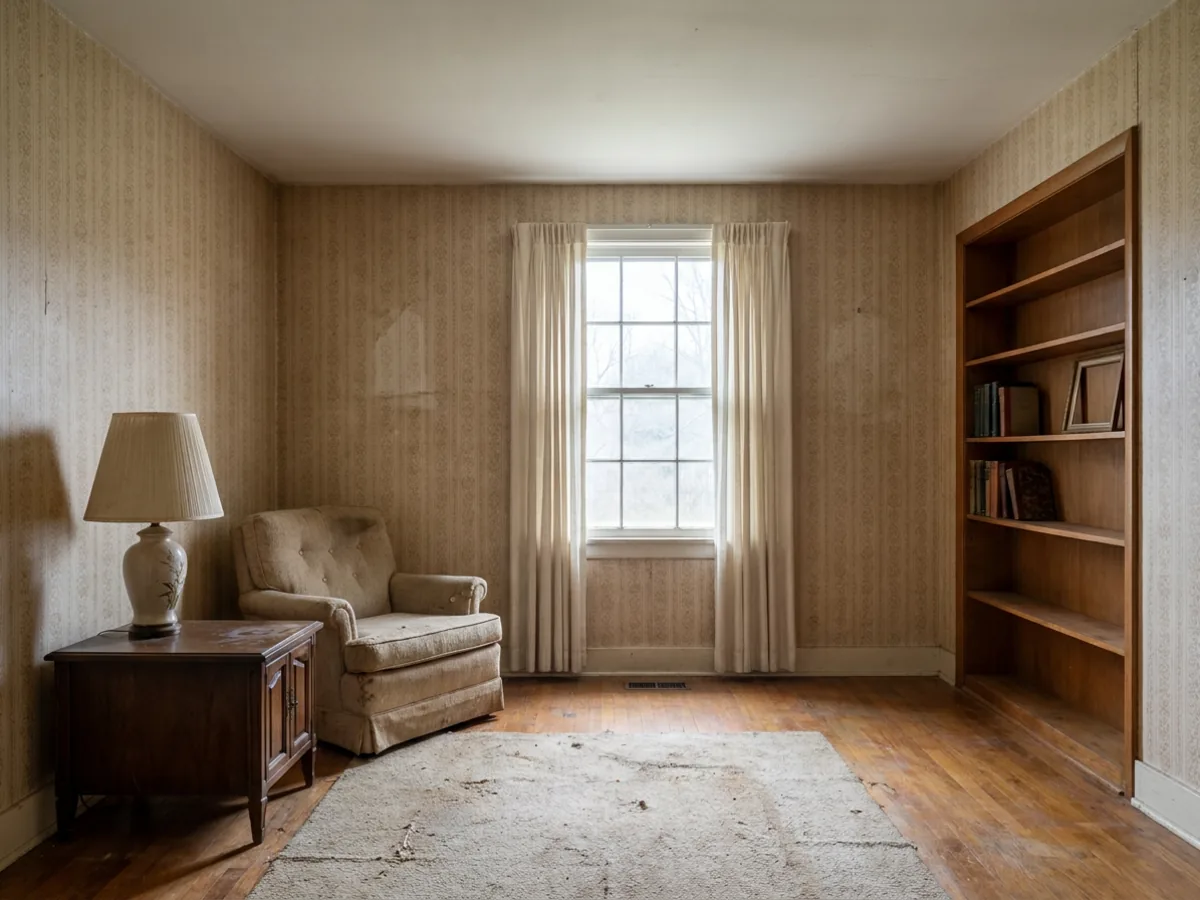
Exterior paint is the single most-searched exterior question, and for good reason: it is the classic swatch trap at the largest possible scale. A color that looks right on a chip can go cold, chalky, or unexpectedly bright across a whole sunlit facade. An exterior paint visualizer built on your own photo shows you the real thing.
You can test the colors independently, siding, trim, shutters, fascia, and the front door, and compare a few options side by side on the same house. Because the render uses your home's own light and shadow, you see how the color actually behaves at your address, not on a showroom card. Describe named colors in plain words, "a warm greige body with crisp white trim," "a deep forest green with black windows," and let your own house tell you which one works. This is the honest answer to "what would my house look like a different color," and it is far cheaper than repainting twice.
Curb appeal: landscaping, walkway, and lighting
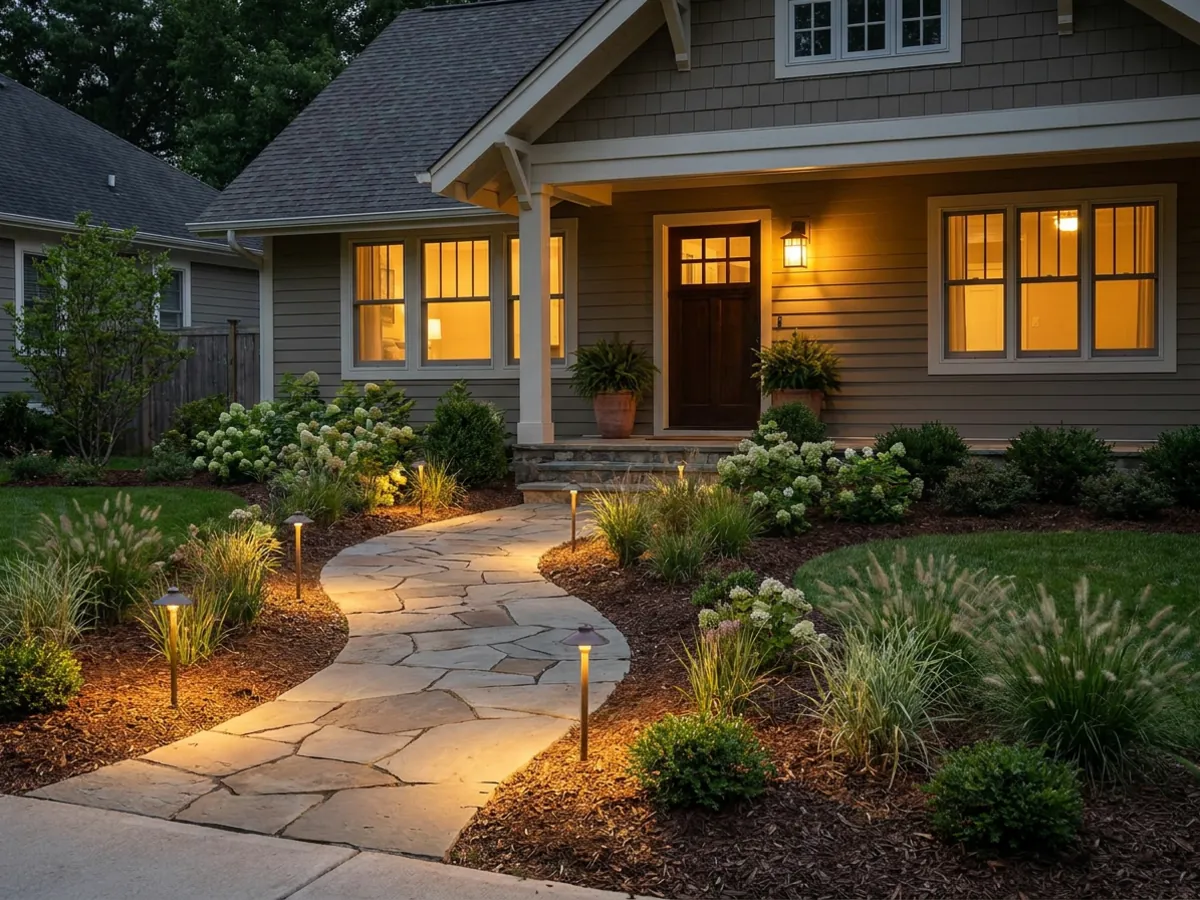
The facade is only half of a first impression, the ground around it does the rest. You can stage curb appeal on the same photo: add or tidy planting beds, freshen a patchy lawn, redo a cracked walkway or driveway, and add path or facade lighting. Relighting the shot to golden hour on top of that makes the whole scene feel cared for.
These are small-looking changes that move a first impression a long way, which matters whether you are deciding what to plant this season or getting a house ready to show. Because you can try several arrangements before touching the yard, you spend your weekend on the version you already know works rather than guessing at the garden center.
Backyards, patios, and outdoor living
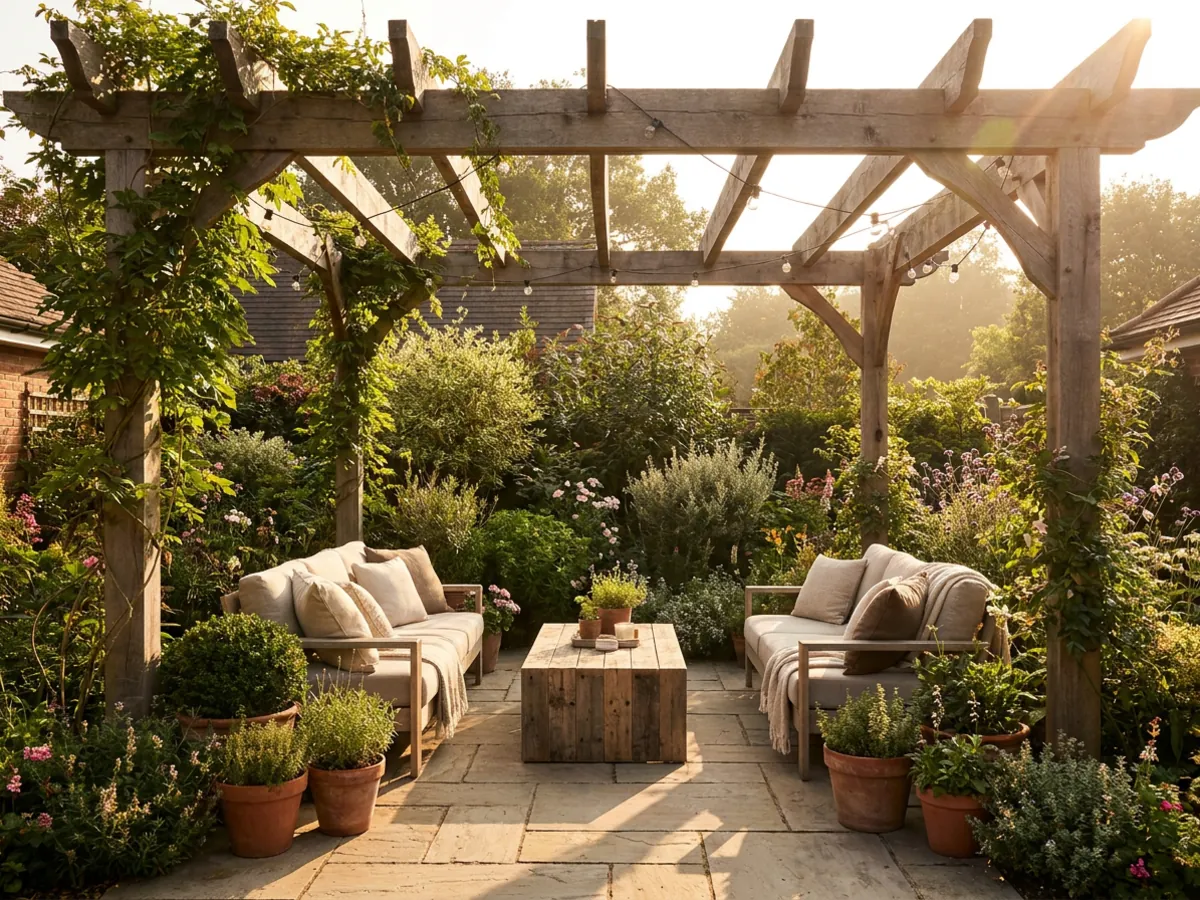
Outdoor spaces get the same treatment as any room. Photograph a patio, deck, pool surround, or a bare stretch of garden, and reimagine it: add a pergola, lay out seating, layer in planting, or rethink the whole layout. It is the natural continuation of restyling a room indoors, just applied to the space beyond the back door.
This is where the exterior and interior tools meet. You can carry a look from the garden through to the rooms it opens onto, so an outdoor living space and the living room behind it feel like one home. When you want to keep going inside, you can redesign the rooms behind the facade in the same session.
How to shoot a photo that renders well
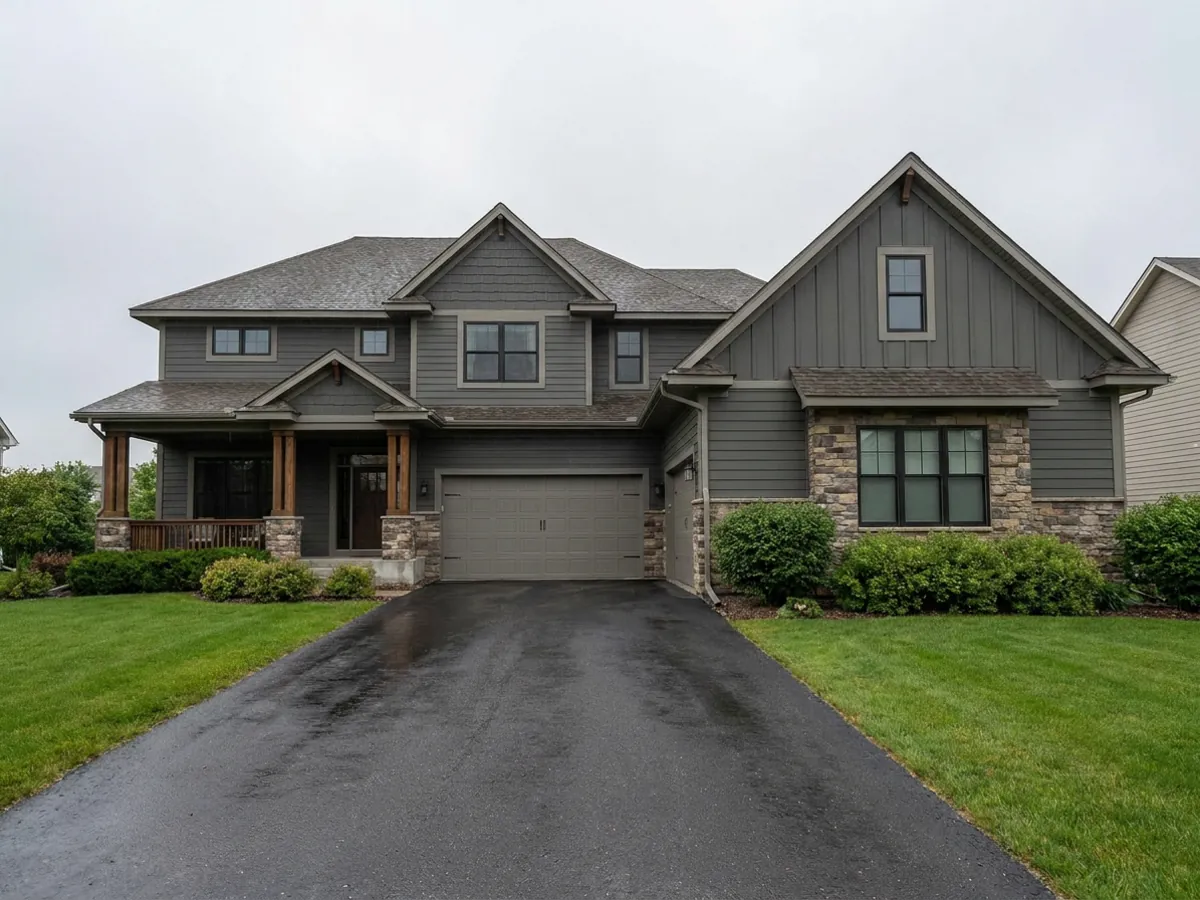
The quality of the render follows the quality of the photo. A few things make a big difference:
- Shoot level and straight-on, from far enough back to fit the whole facade in the frame without tilting the camera up.
- Use flat, even light, an overcast day or open shade, so harsh shadows do not fight the render.
- Clear the driveway of cars, bins, and hoses, so the AI is working on the house, not the clutter.
- Avoid heavy backlight, do not shoot straight into the sun behind the house, which flattens the facade into a silhouette.
One clean, well-lit photo beats several rushed ones. If the first result looks off, the input photo is usually the reason, and a better shot fixes more than any amount of re-prompting.
Refining your render in plain language
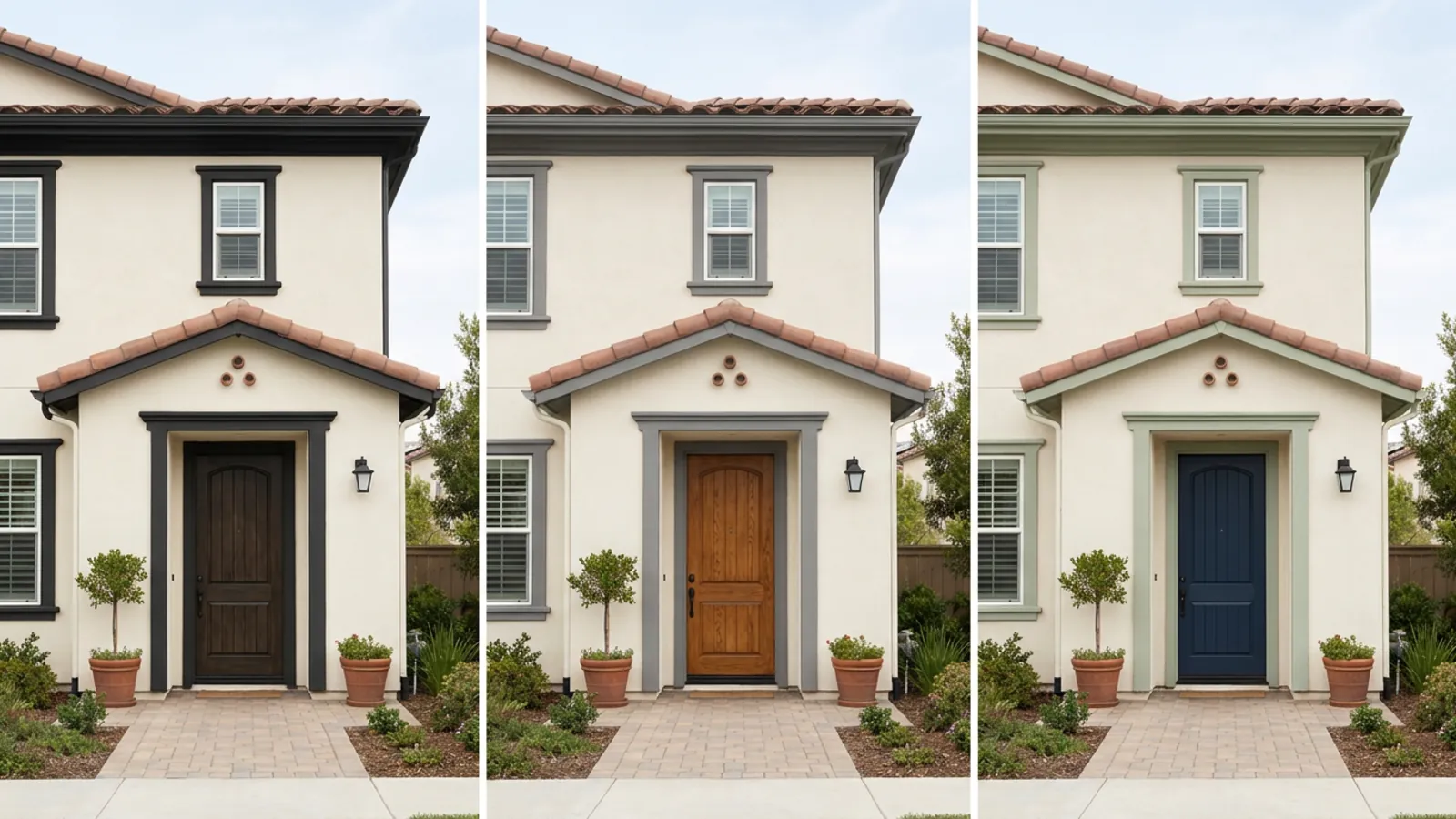
The first render gets you most of the way, and refining gets you the rest, in plain words. Change one thing at a time, "warmer white on the trim," "swap the door to black," "add a stone base under the porch," "a darker roof," and re-run to compare. Each instruction applies to the design in front of you, so you build steadily toward the exact look rather than starting over.
No design jargon is required. You describe what you want the way you would to a painter or a contractor, and you can keep the parts you like while adjusting only what does not fit. That one-change-at-a-time habit is what turns a promising first render into a facade you would actually commit to. For the full range of instructions, editing a photo with words covers the same idea in depth.
Using exterior renders when a house is for sale
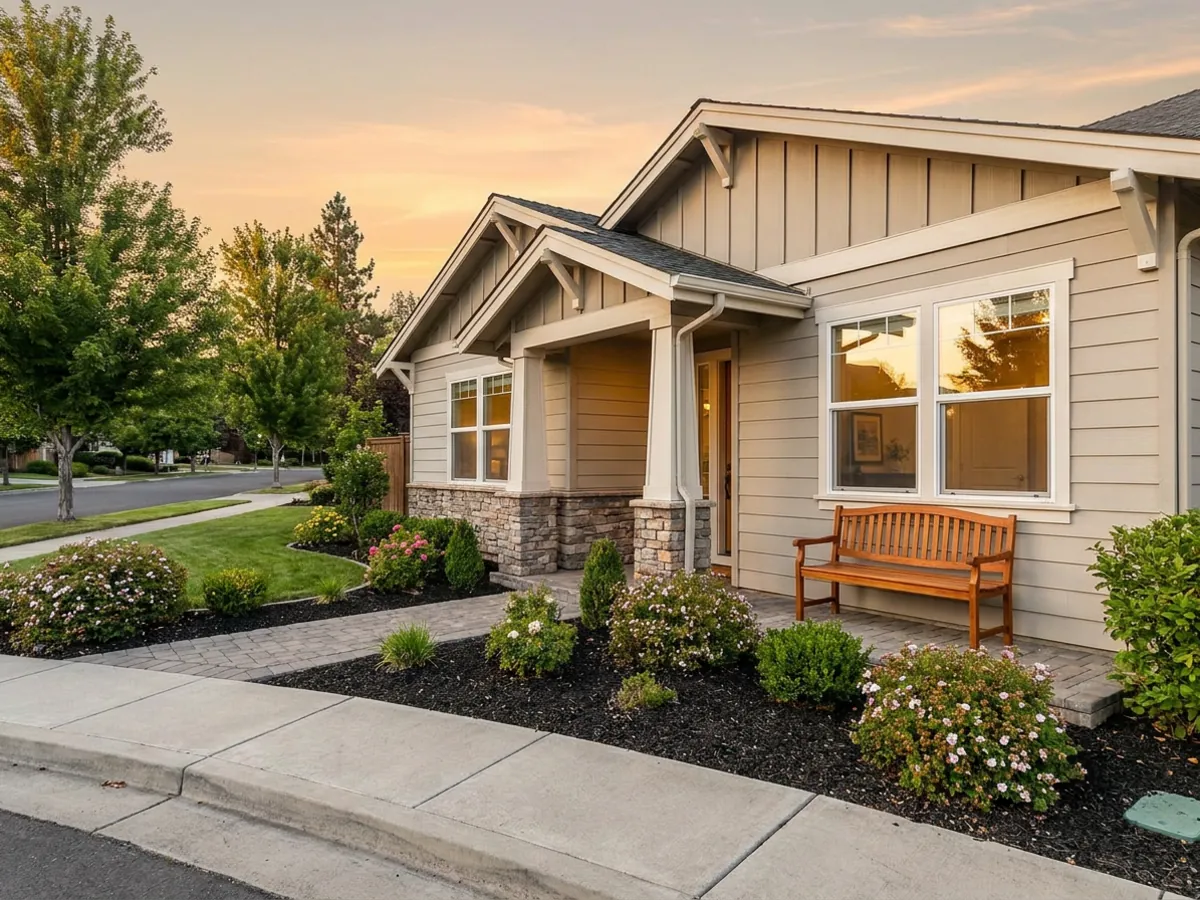
An exterior preview earns its keep whenever a house is about to change hands. A tired facade can be shown repainted or restyled so a buyer can picture the potential rather than the current state, and the same previews help decide which pre-sale exterior fix is actually worth doing before spending on it. Seeing a fresh-paint version next to a re-side version, on the real house, makes that call concrete instead of speculative.
It pairs naturally with presenting the inside. You can stage the rooms inside with virtual staging, then rework the spaces buyers scrutinize most, a kitchen or a bedroom, so the exterior and interior tell one consistent story. To plan a changed layout before any of it, you can sketch it with the free floor planner, or draw on a modern farmhouse kitchen and a modern kitchen for direction.
Try it on your house
The surest way to make an expensive exterior decision is to see it first. Take one level, straight-on photo of your house, upload it on the restylai homepage, and preview it in a new color, a new material, or a whole new style. The first render is free with no signup, so you can rule an option in or out before a contractor ever quotes. HD downloads and unlimited renders come with a subscription. Upload an exterior photo and start now.
Frequently asked questions
Can AI redesign the exterior of my house from a photo? +
Yes. Upload one photo and the AI restyles the facade, swaps named materials, renews tired surfaces, or stages curb appeal, all while keeping the structure, windows, and rooflines in place. Because it works from your photo, the preview stays true to your real house.
Can I preview a house paint color before I commit? +
Yes. Test siding, trim, shutters, fascia, and front-door colors on your own photo, and compare a few options in the home's own light and shadow before you buy paint. It is the honest answer to what your house would look like a different color, at the scale a chip can never show.
What house styles can it do? +
Modern, contemporary, modern farmhouse, craftsman, Mediterranean, Tudor, colonial, mid-century, and Scandinavian looks, among others. You can name the style you want in plain words or just describe the feeling and refine from there.
Can it change siding or exterior materials? +
Yes. Name the surface change, for example brick to smooth stucco or board-and-batten siding, and the AI re-skins the walls while keeping the windows and roofline fixed. That fixed geometry is what makes it a fair comparison rather than a new house.
Does it work for backyards, patios, and landscaping? +
Yes. Outdoor spaces get the same treatment as a room, from patios and pergolas to planting beds, walkways, and lighting. You can carry one look from the garden through to the rooms it opens onto.
Will it keep my actual house, or invent a new one? +
It works from your photo and preserves the real structure, so the preview stays true to your home rather than generating a different building. That is the main advantage over generators that hallucinate a new facade.
Is there a free AI exterior design tool? +
The first render is free with no signup: upload an exterior photo, pick a mode, and judge the result on your own house. HD downloads and unlimited renders come with a subscription.
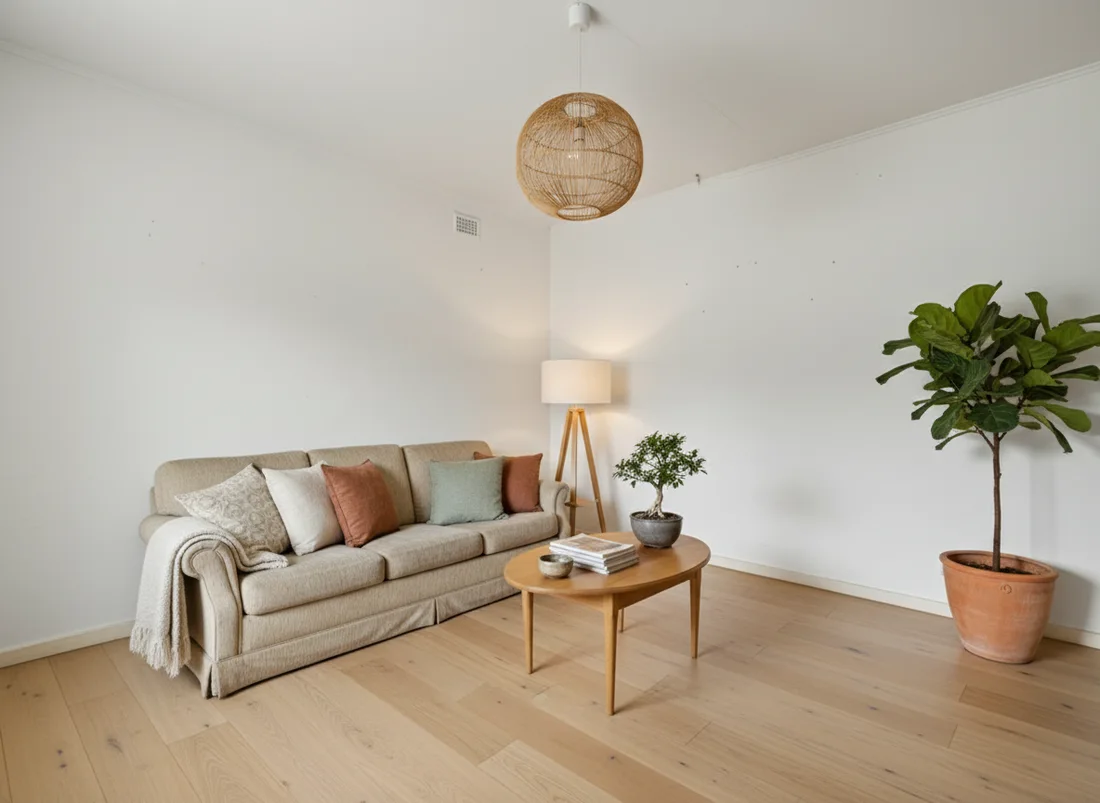 After
After
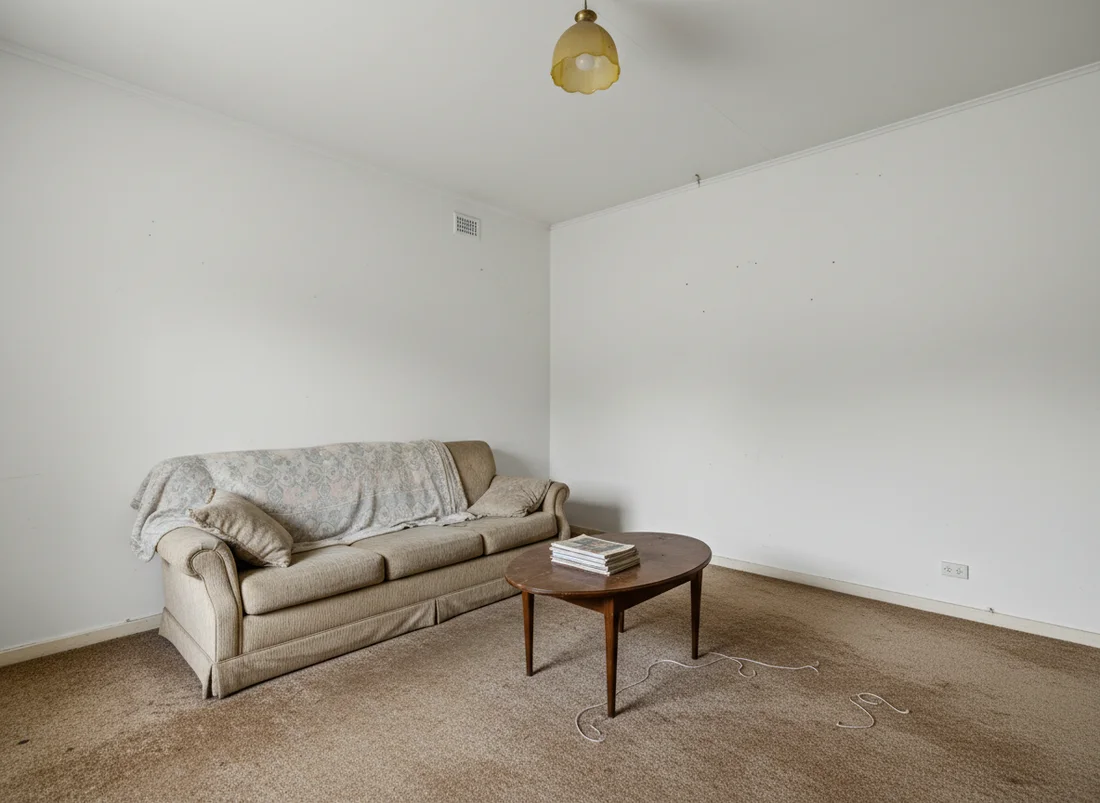 Before
See it on your own room
Your room, redesigned
Upload one photo and watch your room restyled in a wide range of designer looks. Your walls, windows and layout stay exactly as they are.
Try it free, no signupOne photo. In seconds. No signup.