restylai blog
The Best RoomGPT Alternatives in 2026 (Free and Paid)
Updated July 19, 2026 · by the restylai team
Short answer: RoomGPT deserves credit for making AI room design famous in 2023, but the product has barely moved since, while the rest of the category added virtual staging, furniture removal, floor-plan-to-3D, and video. In 2026 there are better options for the job RoomGPT does, including one that shows you your own room redesigned before you create an account.
This guide looks at what a strong RoomGPT alternative actually needs to do, compares the realistic options, and walks through switching in a few minutes. No invented review quotes, no made-up feature claims, just what each kind of tool observably does.
Why people are replacing RoomGPT in 2026
RoomGPT's pitch was perfect: upload a photo of your room, get it back redesigned. Millions tried it. The reasons people go looking for something else in 2026 tend to come down to a few observable facts about the product rather than any single flaw.
- One free render, behind a signup. You create an account before you get a single try, which makes it hard to compare styles on your own room before committing.
- A fixed set of preset styles. You pick from the built-in looks. There is no real way to give a specific instruction and have only that change.
- Usage limits that arrive quickly. The free and low tiers cap how much you can generate, and the cap tends to land sooner than people expect.
- Still built around the 2023 job. RoomGPT restyles a room. It does not stage an empty one, empty a cluttered one, turn a floor plan into a 3D render, or produce a video walkthrough, all of which became standard elsewhere.
The signup-before-you-try step is the one that pushes most people to look elsewhere. Interior styles are personal and room-specific, so the only way to know whether a tool is any good is to see your own room in it. When you have to create an account and spend your single free render before you can judge that, you are committing before you have any evidence, which is the opposite of how you would choose paint or furniture. A tool that shows you the result first removes that friction entirely.
None of this makes RoomGPT bad at what it does. It makes it a single-purpose tool in a category that has since become multi-purpose, which is exactly why a comparison is worth doing before you settle.
What a great RoomGPT alternative needs to do
Before comparing tools, it helps to know what you are comparing them on. Four questions separate a tool you can decide from a tool that just makes pretty pictures.
- Does it keep your room your room? Walls, windows, doors, and proportions should stay exactly where they are. A beautiful render of a different room answers nothing about yours.
- Can you test it on your own photo before paying? A sample gallery proves nothing about your awkward corner bedroom or your north-facing living room. You need to see your actual space.
- Is it photorealistic? Dreamy, painterly output is fine for a mood board and useless for a real decision or a listing. You want something believable enough to act on.
- Does it cover the whole job? Restyling is one job. Staging an empty room, clearing a cluttered one, bringing a floor plan alive, and making a walkthrough video are different jobs, and in 2026 one tool can do all of them.
Quick comparison at a glance
Here is how the realistic options line up on the questions above. Competitor cells reflect what each kind of tool publicly does; where it genuinely varies between products, the cell says so rather than inventing a specific.
| Tool | Try on your own photo before paying | Keeps room structure | Beyond restyling | How you pay | Best for |
|---|---|---|---|---|---|
| restylai | Yes, on the homepage with no signup | Yes, walls and layout locked | Staging, declutter, materials, floor plan to 3D, video | Subscription, free first render | Seeing your own room redesigned, fast |
| RoomGPT | One render after signup | Mostly, restyle only | No, restyle only | Freemium, then subscription | A quick basic restyle |
| Pro design tools | Varies | Yes, model-based | 3D, CAD, sketch workflows | Higher subscription | Designers and client work |
| Realtor staging services | No, per-photo order | Yes, edits your photo | Staging and photo edits | Per photo | Listing photo pipelines |
| Casual mobile apps | Varies | Often not | Varies | Ads or small subscription | Casual, for fun |
The rest of this guide unpacks the row that most RoomGPT users are actually looking for, a try-first tool that keeps your room intact, and then explains who the other categories genuinely suit.
Is RoomGPT free, and what you actually get
This is the question most people are really asking, so it is worth answering plainly. RoomGPT has a free entry, but it is a limited one: you create an account, and you get a small number of renders before you hit a cap and are asked to upgrade. In practice that means you often spend your free allowance before you have properly compared styles on your own room, which is the opposite of what you need when you are trying to decide whether a tool is any good.
The distinction that matters is between "free after signup" and "free before signup." A tool that makes you register before you see anything is asking you to commit first and evaluate second. A try-first tool flips that: you see a render of your own room before an account exists, so the free look is a genuine test rather than a teaser. That is the single biggest reason people search for a free RoomGPT alternative rather than just using RoomGPT's free tier, and it is worth weighing more heavily than the exact number of free renders any tool advertises, because those numbers change often.
restylai: try it on your own photo first
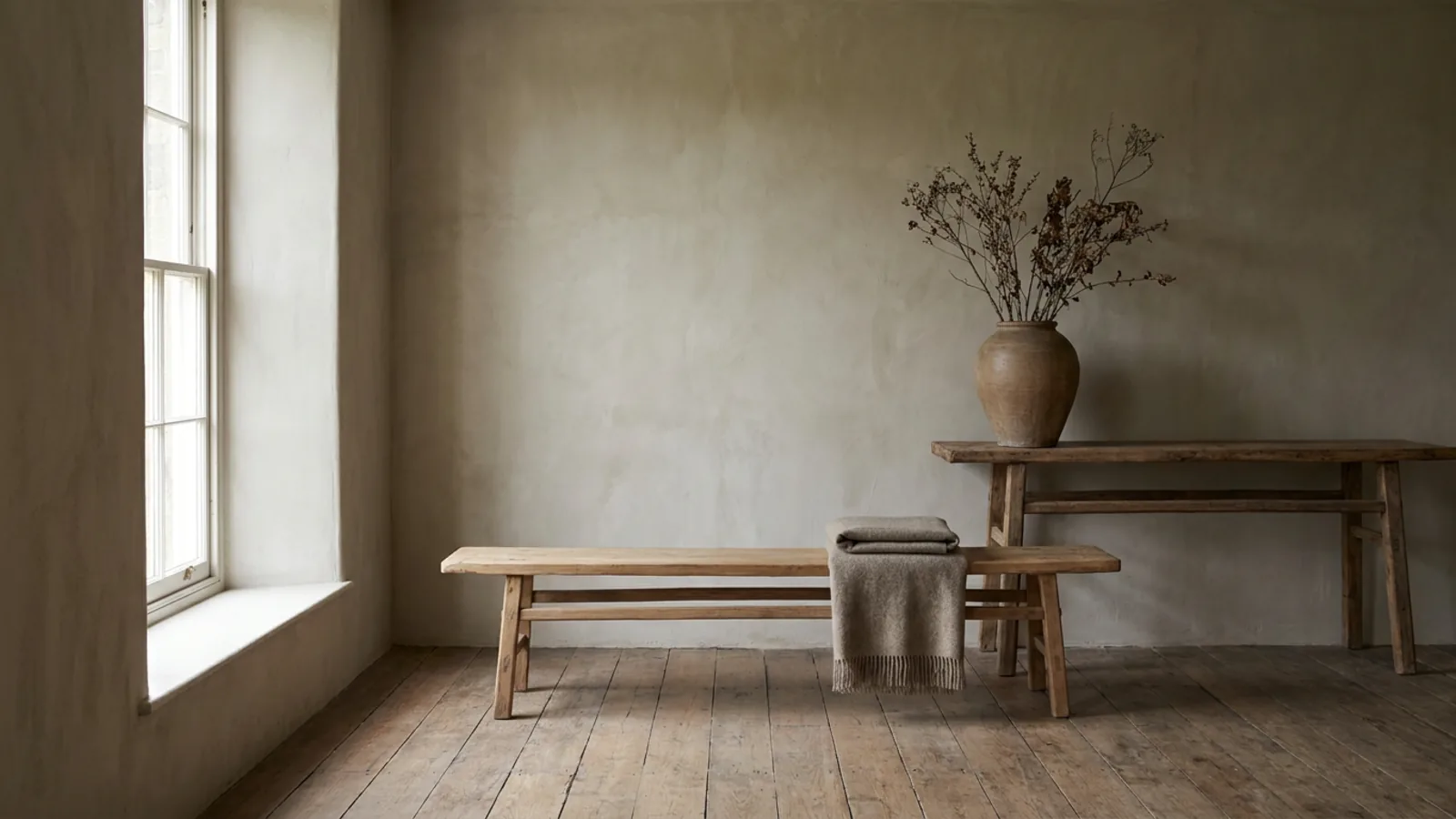
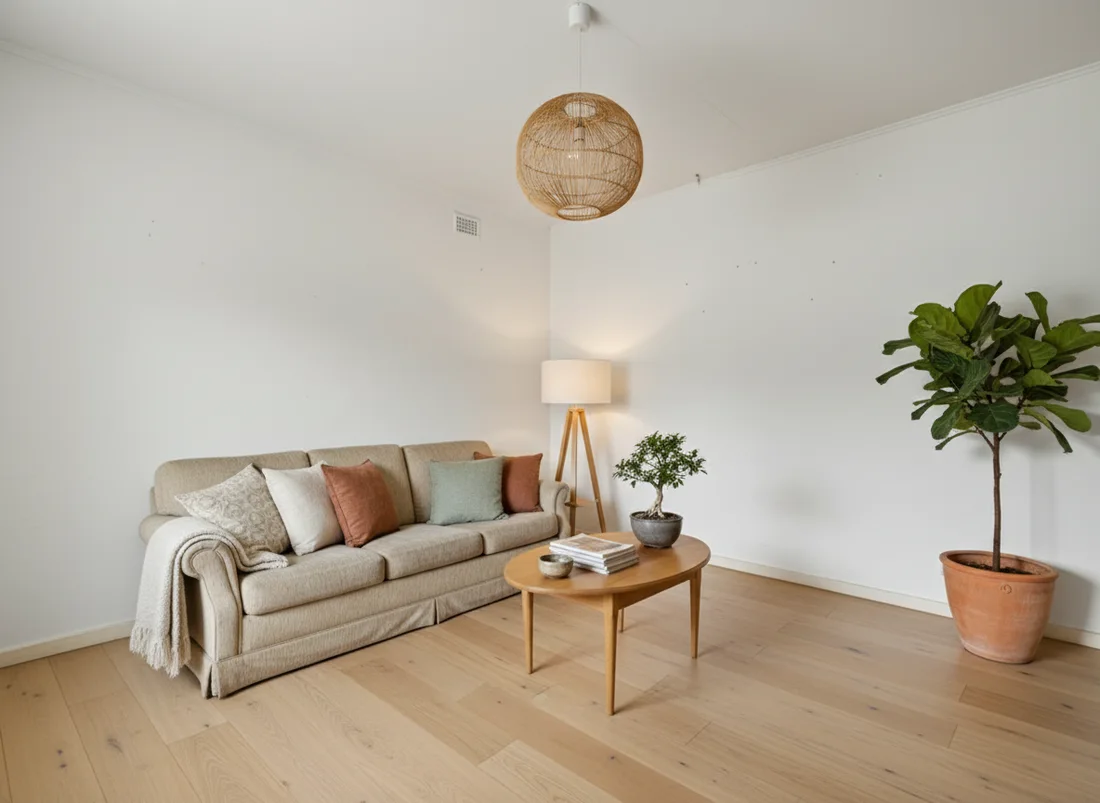
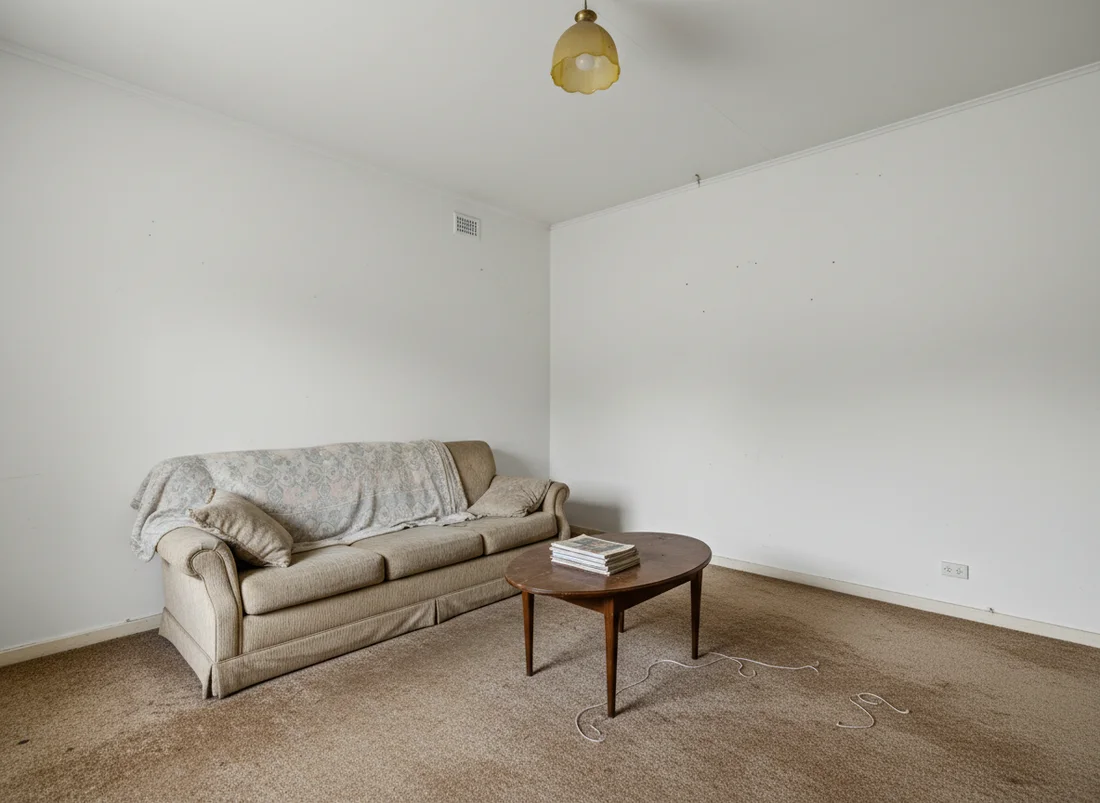
restylai is built around the two things RoomGPT users bump into most: it shows you your own room transformed before you commit, and it responds to specific instructions. Upload a photo on the homepage with no signup, and the AI reads the room, picks the right mode by itself, and renders your space in any of a wide range of styles, or in a look you describe in your own words, in about ten seconds. You judge the result on your actual room, not a demo, before an account exists.
 Before
After
Before
After
Two things make that first render more useful than a preset restyle. The tool reads the photo and recommends the right mode by itself, so an empty room is offered staging rather than a restyle, and a floor plan is offered a 3D render, which means you are not guessing which button to press. And because you can describe a look in plain words, you are not limited to a fixed menu: ask for a warm Scandinavian living room with a reading nook, or a moody study with deep green walls, and that is what it works toward while keeping your architecture.
It is a subscription product with a free first render and a 30-day money-back guarantee, so the try-first path costs nothing and paid plans add clean HD and 4K downloads with commercial use. If you want the fuller picture of how AI room design works on your own photo, that walkthrough covers the mechanics. The important part here is the order of events: you see the result first, decide second.
How restylai keeps your room your room
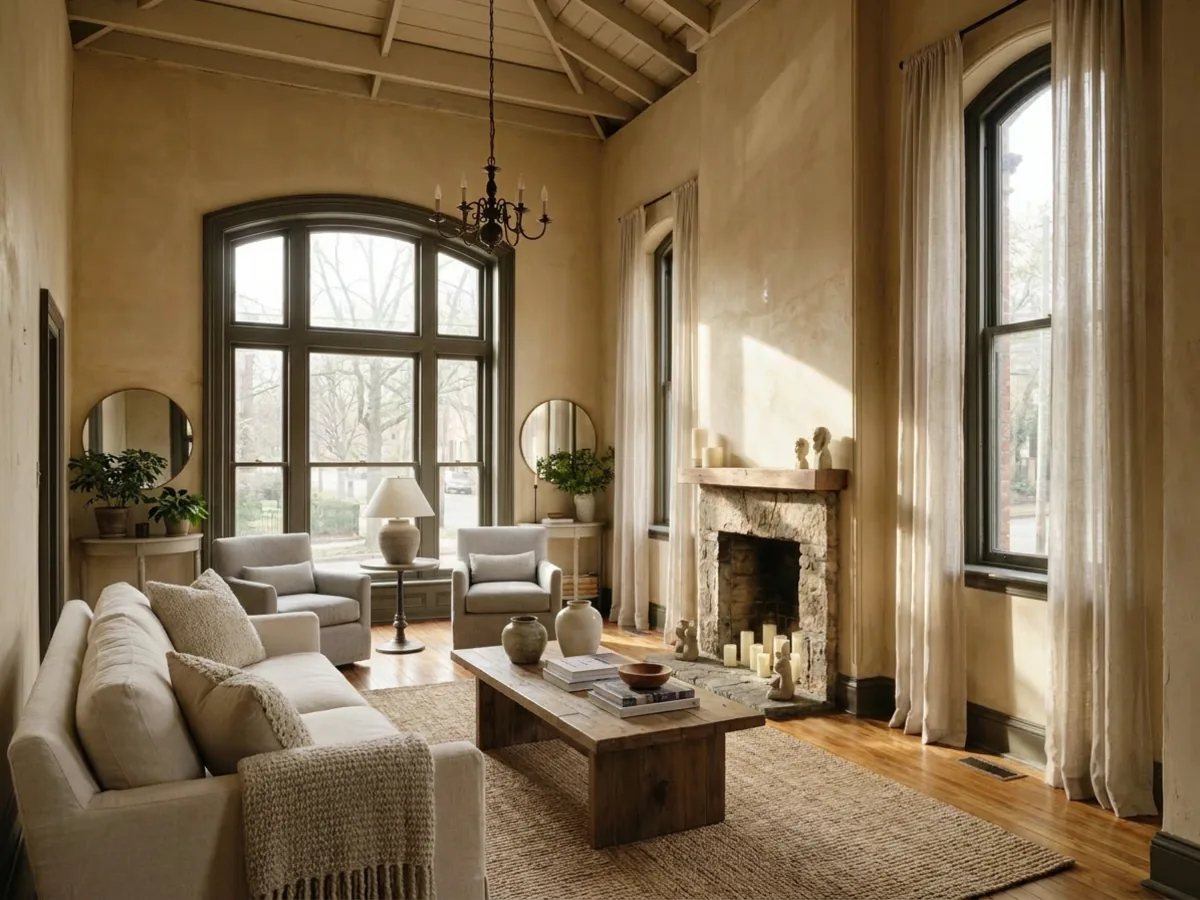
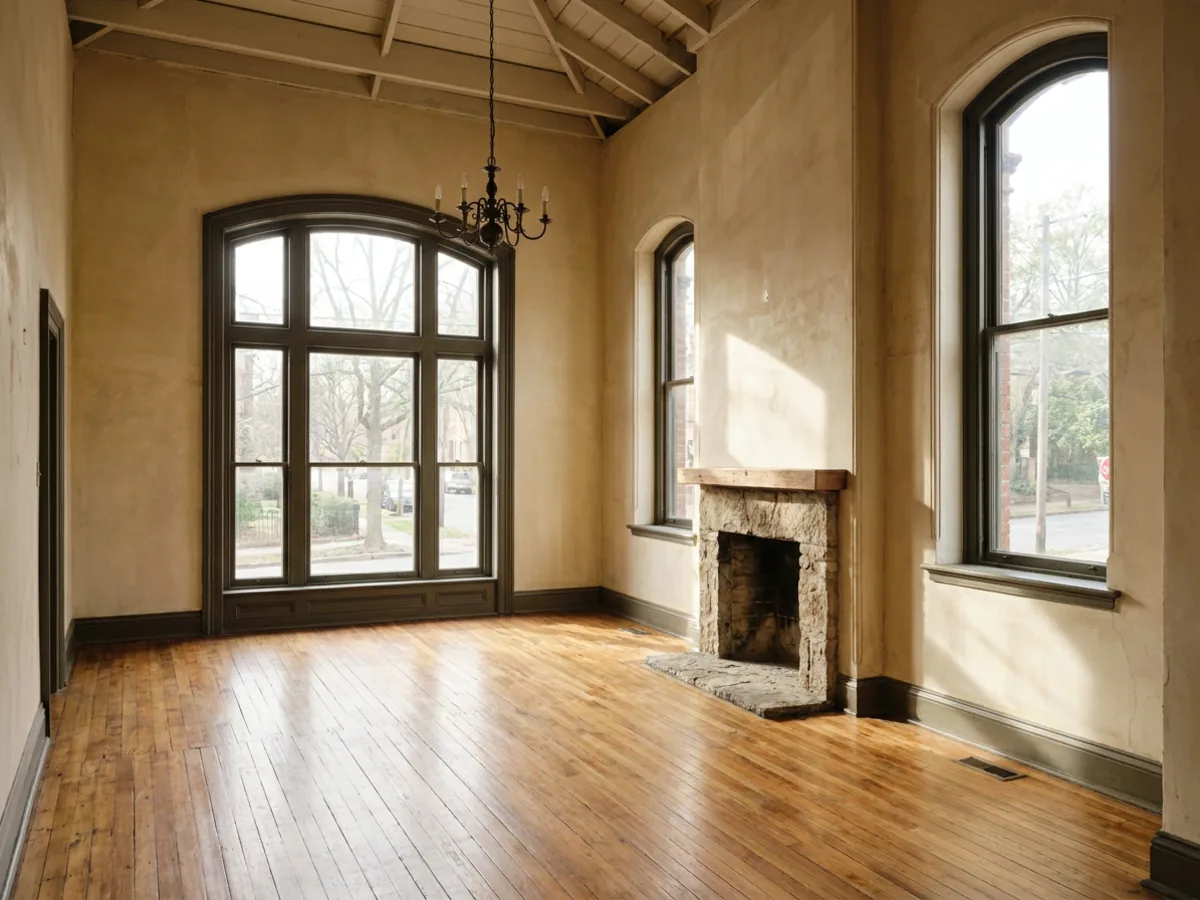
The single most common complaint about weaker tools is that they change the room. You upload your living room and get back a lovely space that is not yours, wrong windows, a wall that moved, a different ceiling. That is fine for inspiration and useless for a decision.
 Before
After
Before
After
restylai locks the architecture on purpose. Walls, windows, doors, and proportions are held fixed by explicit instruction, and only the finishes, furniture, and styling change. That is what makes a render usable: you are looking at a believable version of the exact room you own, so you can judge whether a style, a paint color, or a furniture layout actually works in your space.
The difference shows up the moment you try to make a real decision. A paint color that looks right on a chip often goes cold across a whole wall in your room's particular light, and a render that keeps your actual windows and daylight tells you that before you buy a tin. A sofa you are unsure about either fits your longest wall or dominates the room, and a structure-locked render shows the scale honestly. For a listing, the same fidelity is what keeps a staged photo believable rather than obviously faked. And because every further instruction applies to the design you are looking at, you can restyle a room without changing its layout and then keep adjusting, lighter floors, a simpler pendant, one change at a time, until it is a room you would actually build.
RoomGPT vs restylai, head to head
If you have narrowed it to these two, here is the honest side-by-side, feature by feature, so you can decide on the differences that will actually affect you.
- Trying it first. RoomGPT gives you a limited number of renders after you create an account. restylai gives you a first render on the homepage with no account at all, so you evaluate before you commit.
- Keeping your room. Both aim to respect the room, but this comes down to how carefully the tool instructs the model. restylai locks your walls, windows, and proportions by explicit instruction and applies the style to furnishings only, so the result stays recognizably your space.
- Obeying instructions. RoomGPT works from a fixed set of preset styles. restylai lets you describe a look in your own words and treats a specific edit as a command, so you can ask for one change and get exactly that, not a reinterpretation.
- Breadth of jobs. RoomGPT restyles a room. restylai also stages empty rooms, removes clutter, swaps materials, previews renovations, turns floor plans into 3D, and makes video walkthroughs, so one tool covers work that would otherwise need several.
- Refinement. RoomGPT produces a render. restylai lets every further instruction apply to the design you are looking at, so you can iterate toward a room you would actually build rather than starting each attempt from scratch.
Where RoomGPT still makes sense is if you want the simplest possible one-click restyle from the tool that made this category famous, and nothing more. For almost everything else, and especially for judging quality on your own room before paying, the try-first, obey-your-words, whole-job approach is the more useful one in 2026.
Beyond restyling: staging, decluttering, floor plans, and video
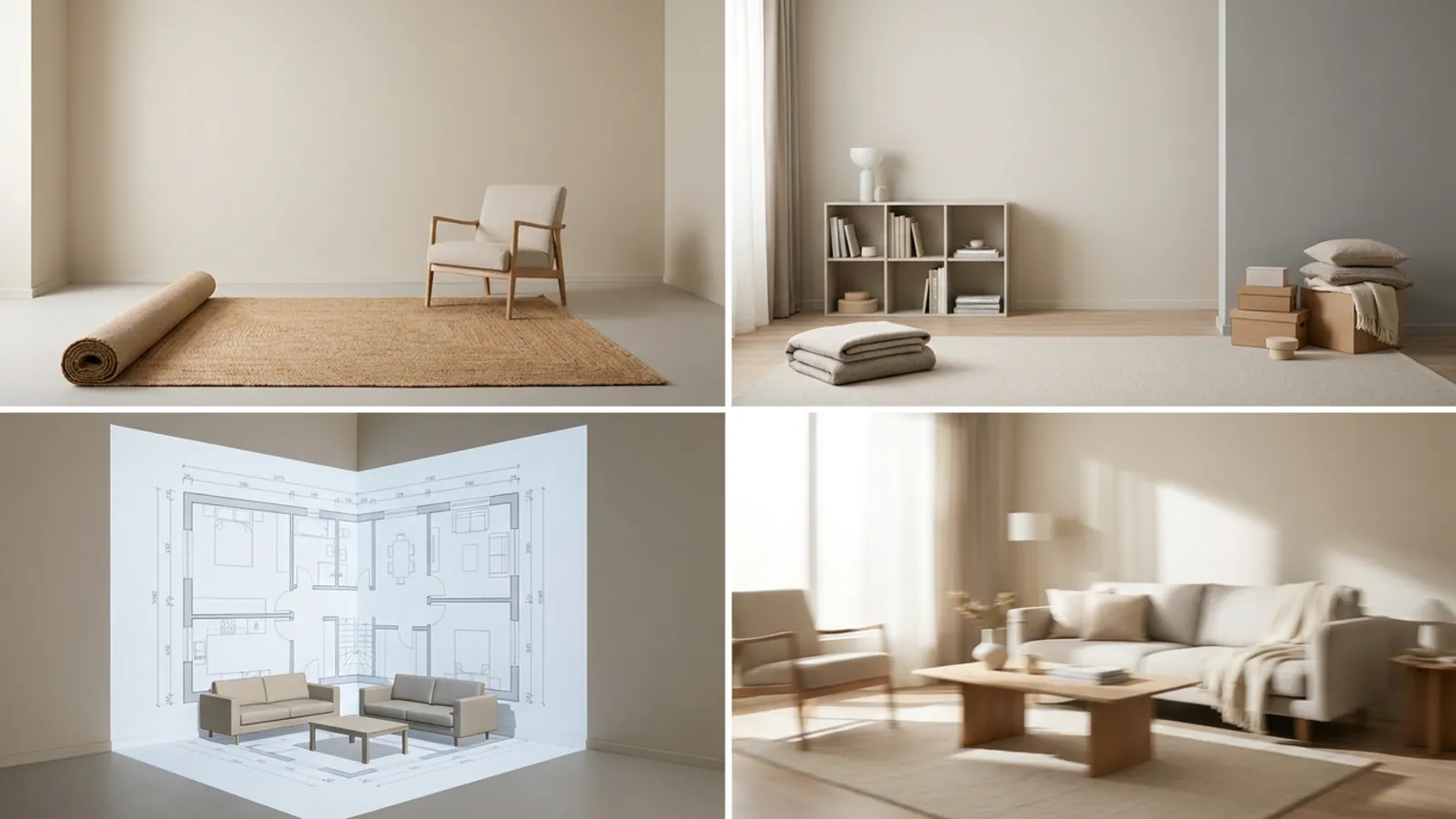
This is where the category left the single-purpose tools behind. The same upload flow that restyles a room can also do the jobs RoomGPT never took on:
- Virtual staging. Furnish an empty room so buyers can see its purpose and scale. See what virtual staging costs compared to the traditional route.
- Decluttering. Remove furniture and clutter from a photo to get a clean base, then stage it in a style that sells.
- Material swaps. Change a floor, a wall color, or cabinet fronts and keep everything else as photographed.
- Floor plan to 3D. Turn a 2D floor plan into a furnished 3D render of the same home.
- Video walkthroughs. Turn a redesigned photo into a short cinematic clip of the space.
You can also anchor a specific job to its own page, for example staging an empty room before it lists or redesigning a kitchen from one photo. The point is that one tool now covers the work that used to need several.
Other kinds of alternatives, and who they suit
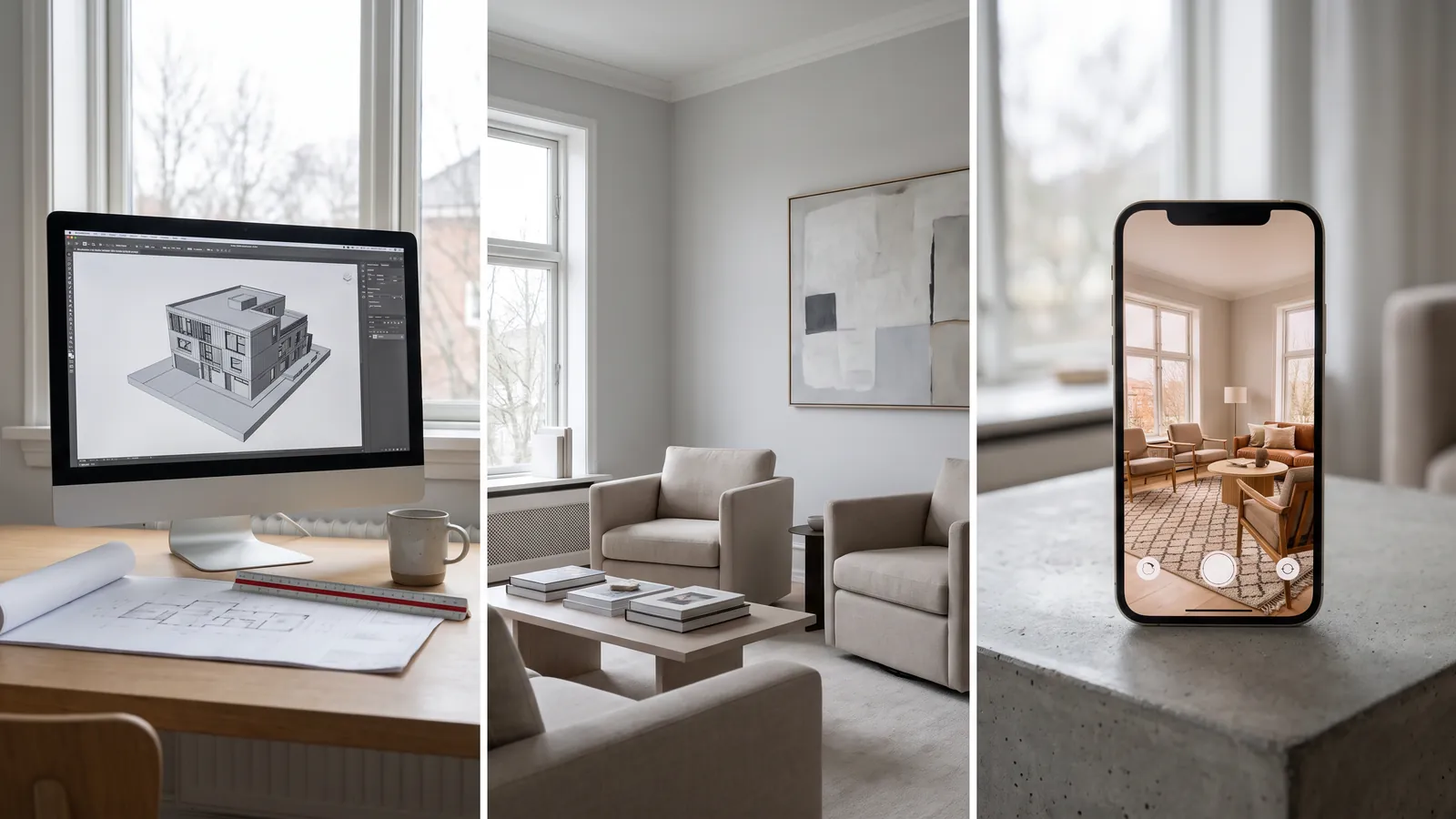
Not everyone wants the same thing from a RoomGPT alternative, so it helps to think in categories rather than a single winner.
- Professional architecture tools. Products aimed at designers work from sketches and 3D models and fit into CAD workflows. They are powerful and priced for professionals, and they are overkill if you just want to see your bedroom in a new style. Right for client work, not for a quick personal redesign. For that end of the spectrum, it is worth comparing dedicated interior design software.
- Realtor photo-staging pipelines. Per-photo services stage or edit listing images, sometimes with a human in the loop. They suit brokerages with a fixed process and a per-listing budget, and they are slower and pricier per image than a self-serve tool.
- Casual mobile apps. Free apps redecorate a photo with loose, fun results. Good entertainment, but they often do not keep your real room, so they are not built for a decision you will spend money on.
The common thread is what you pay with: money per photo, your email before you see anything, or output quality. A try-first tool exists because the render itself should be the pitch.
How to switch from RoomGPT in five minutes
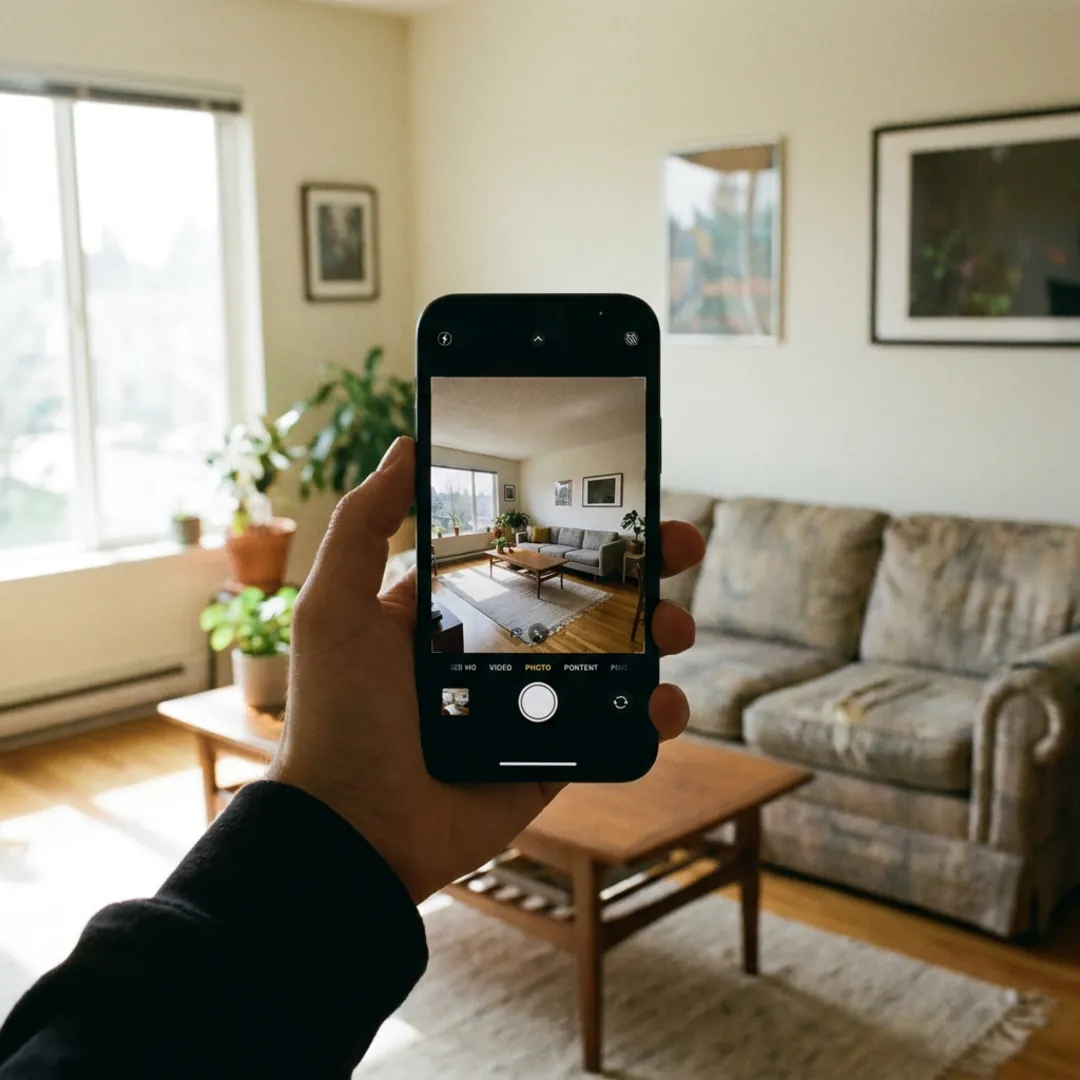
You do not need to cancel anything or export data to try a different tool. The honest comparison takes about five minutes:
- Take one photo of the room you care about, wide and roughly level, in decent daylight.
- Upload it on the homepage. No signup, no card.
- Let the AI pick the mode and choose a style, or describe the look you want in your own words.
- Compare the result against your RoomGPT render of the same room, side by side.
- Subscribe only if the output is good enough to decide from. If it is not, no account was created and nothing was lost.
That last step is the whole test. Upload one photo and see your room restyled, free, no signup. If it does not make you want the clean HD version, you have your answer at zero cost. For inspiration first, browse a Scandinavian living-room makeover or a Japandi bedroom.
Frequently asked questions
Is RoomGPT still worth using in 2026? +
RoomGPT works for a basic restyle and was a genuine pioneer of AI room design. The catch is that it stayed a single-tool product while the category added virtual staging, decluttering, floor-plan-to-3D, and video. For a quick restyle it is still fine; for the wider job most people now want, a multi-purpose tool covers more ground.
What is the best free RoomGPT alternative? +
restylai lets you upload a photo and see your own room restyled before you sign up, right on the homepage with no account. You judge the result on your actual room, and the first render is free, so you can compare it against RoomGPT before paying for anything.
Can I test a RoomGPT alternative on my own room before paying? +
Yes. With restylai you upload your photo first and see your real room redesigned, so you decide on your actual space rather than a sample gallery. That try-first order, result first and account second, is the main reason people switch.
Do these tools change my room's layout? +
A good one does not. restylai keeps your walls, windows, doors, and proportions fixed and changes only the finishes, furniture, and styling. That is what makes the render usable for a real decision instead of just inspiration.
Can an AI room tool do more than restyle a room? +
Yes, and this is where the category moved past RoomGPT. Virtual staging of empty rooms, removing furniture and clutter, turning a floor plan into a 3D render, and short video walkthroughs are all standard in 2026, from the same single photo upload.
How much does an AI room design subscription cost? +
restylai is a subscription with a free first render and a 30-day money-back guarantee, so you can try it before you decide. Paid plans add clean HD and 4K downloads with commercial use. You can see the current options on the plans page.
Is RoomGPT free to use? +
RoomGPT has a free entry, but it works after you create an account and caps how many renders you get before asking you to upgrade. That is different from seeing a render of your own room before signing up. If a free look that requires no account matters to you, that is the main reason people choose a try-first alternative over RoomGPT's free tier.
What is the difference between RoomGPT and restylai? +
RoomGPT restyles a room from a fixed set of preset styles after you sign up. restylai lets you try it on your own room with no signup, describe a look in your own words or edit by instruction, keeps your real walls and layout, and covers staging, decluttering, material swaps, floor-plan-to-3D, and video as well as restyling. In short, RoomGPT does one job and restylai covers the whole job, try-first.
Which RoomGPT alternative is best for real estate? +
For listings, the jobs that matter are virtual staging of empty rooms, decluttering lived-in ones, and sometimes a video walkthrough, all while keeping the real architecture so the photos stay honest. restylai does all three from one upload and lets you preview the result free before paying. Whatever you choose, disclose digitally altered listing photos where your MLS or portal requires it.
 After
After
 Before
See it on your own room
Your room, redesigned
Upload one photo and watch your room restyled in a wide range of designer looks. Your walls, windows and layout stay exactly as they are.
Try it free, no signupOne photo. In seconds. No signup.